

Orca Digital Calendar
A shared digital family calendar designed to simplify busy households—syncing schedules, chores, and reminders into one clear view everyone can trust.
 No SubscriptionWireless WiFi SyncChore Charts & Meal PlanningFull Month View Display
BLACK FRIDAY SALE
 99-Day Risk-Free Guarantee
 Free Shipping
 18-Month Warranty
PRODUCT INCLUSIONS (WHAT'S IN THE BOX)


1x Orca Digital Calendar
1x Power adapter
1x Tabletop stand
1x Wall hanger
1x Instruction card
1x Warranty card
PRODUCT SPECIFICATIONS
- RAM: 2GB
- Storage: 32GB
- OS: Android11
- WiFi: 2.4GHz / 5.8GHz Wifi Connectivity
- Screen Type: IPS-LCD screen
- Screen Size: 15.6” inches or 21” inches
PRODUCT DETAILS

2GB RAM
For smooth performance and seamless scrolling so your calendar stays responsive every time you use it.

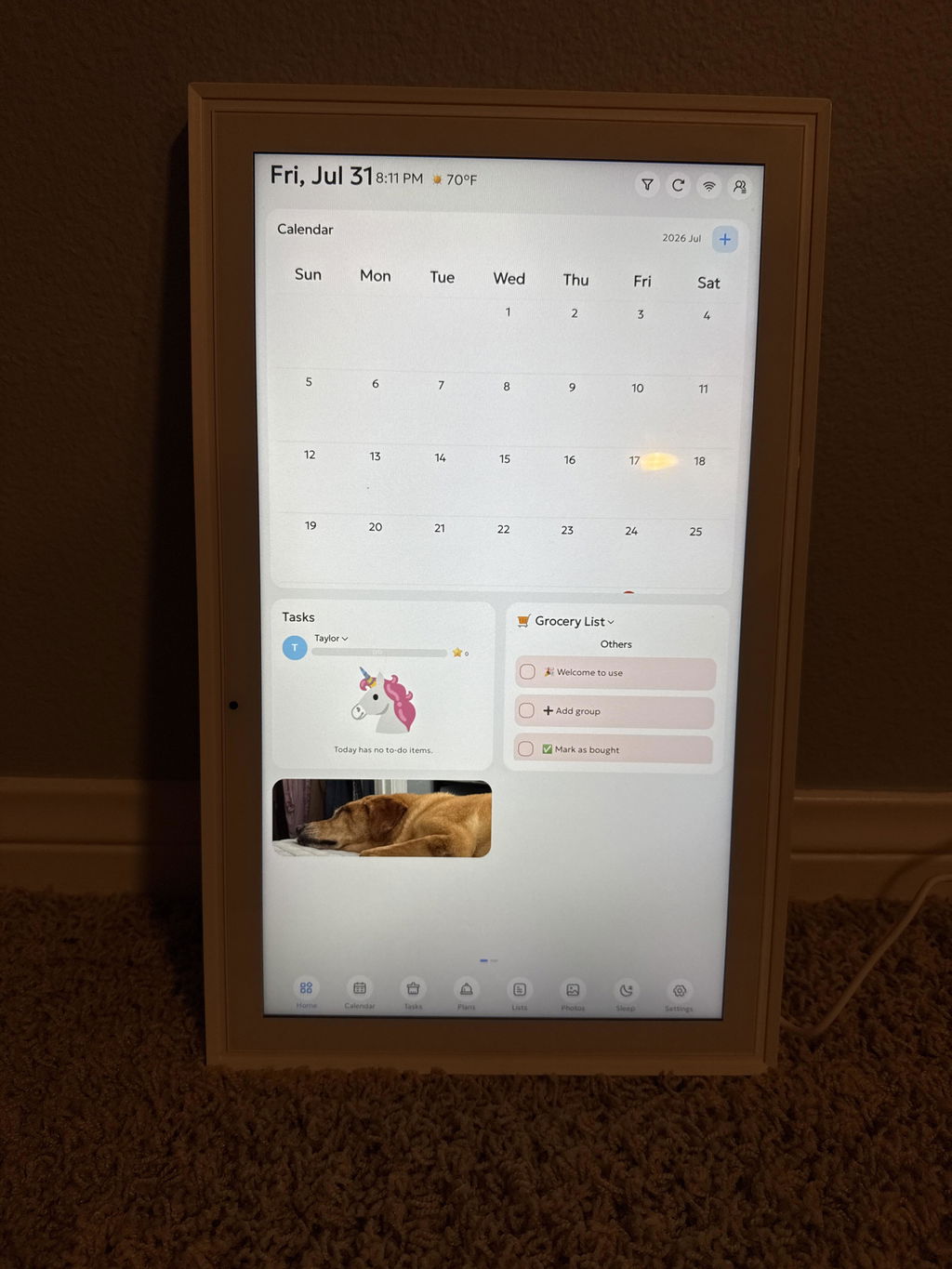
Monthly Calendar View
Toggle between weekly and monthly views so you can see your entire schedule for the month at a glance.

No Subscription Required
Every feature is included at purchase — photo frame mode when idle, meal planning, and chore lists for the kids. No paywalls. No locked features. No monthly fees.

Sync With Ease
Sync effortlessly with your Google Calendar or Microsoft Teams so every family member's schedule stays up to date.

32GB Storage
All the memory you need for your schedules, family photos, and household planning — with plenty of room to spare.

Orca Digital Calendar
A shared digital family calendar powered by our own Orca app. It auto-syncs Google, Apple iCloud and Outlook, plus chores and reminders, into one clear view on a Full HD touchscreen.
No SubscriptionWireless WiFi SyncChore Charts & Meal PlanningFull Month View DisplayBLACK FRIDAY SALE
99-Day Risk-Free GuaranteeFree Shipping18-Month WarrantyPRODUCT INCLUSIONS (WHAT'S IN THE BOX)
1x Orca Digital Calendar
1x Power adapter
1x Tabletop stand
1x Wall hanger
1x Instruction card
1x Warranty card
PRODUCT SPECIFICATIONS:
Screen Sizes: 15.6" and 21.5" IPS Touchscreen
Resolution: 1920 × 1080 Full HD, 16:9
Touch: 10-point multi-touch
Brightness: 250 cd/m² and 300 cd/m²
Processor/Memory: Quad-core, 2 and 3 GB RAM, 32 GB storage
Software: Orca Calendar App on Android 11 and 14
Wi-Fi: Dual-band 2.4 / 5 GHz (Wi-Fi required; no Bluetooth)
Calendar Sync: Google, Apple iCloud, Outlook (auto-sync)
Family Profiles: Up to 20, color-coded
Ports: Full-size SD/MMC card slot, USB-A, USB-C, 3.5 mm audio, DC power
Power: 12V adapter, 24 and 36 W, US plug
Size (L × W × D): 15.4 × 9.5 × 0.9 in and 20.8 × 12.6 × 1.4 in
Weight: 2.7 lb/7.0 lb
Mounting: Wall (hanger included) or tabletop stand
Language: English
Warranty: 18-month limited warranty · 99-day money-back guarantee
UPC: 860015805188 and 860015805195
Certifications: FCC, CE, RoHS
PRODUCT DETAILS
2GB RAM
For smooth performance and seamless scrolling so your calendar stays responsive every time you use it.
Monthly Calendar View
Toggle between weekly and monthly views so you can see your entire schedule for the month at a glance.
No Subscription Required
Every feature is included at purchase — photo frame mode when idle, meal planning, and chore lists for the kids. No paywalls. No locked features. No monthly fees.
Sync With Ease
Sync effortlessly with your Google Calendar or Microsoft Teams so every family member's schedule stays up to date.
32GB Storage
All the memory you need for your schedules, family photos, and household planning — with plenty of room to spare.
 No Subscription
 Wireless WiFi Sync
 Chore Charts & Meal Planning
 Full Month View Display
The Family Calendar That Finally Gets Everyone On The Same Page
A shared schedule your whole household can trust — without subscriptions, confusion, or constant reminders.
If you're the person responsible for keeping your household organized, you know how much mental space it takes. School events. Sports practices. Work meetings. Doctor appointments. Dinner plans.
Somehow, you end up being the one who remembers everything. The Orca Digital Calendar was designed to change that. It creates a single shared place where your entire family can see what's happening—clearly, calmly, and instantly. No checking phones. No repeating yourself. Just one screen everyone can trust. And unlike many digital calendars, every feature works right out of the box.
No subscriptions. No hidden upgrades. No frustration.
BLACK FRIDAY SALE

The Family Calendar That Finally Gets Everyone On The Same Page
A shared schedule your whole household can trust — without subscriptions, confusion, or constant reminders.
If you're the person responsible for keeping your household organized, you know how much mental space it takes. School events. Sports practices. Work meetings. Doctor appointments. Dinner plans.
Somehow, you end up being the one who remembers everything. The Orca Digital Calendar was designed to change that. It creates a single shared place where your entire family can see what's happening—clearly, calmly, and instantly. No checking phones. No repeating yourself. Just one screen everyone can trust. And unlike many digital calendars, every feature works right out of the box.
No subscriptions. No hidden upgrades. No frustration.
BLACK FRIDAY SALE
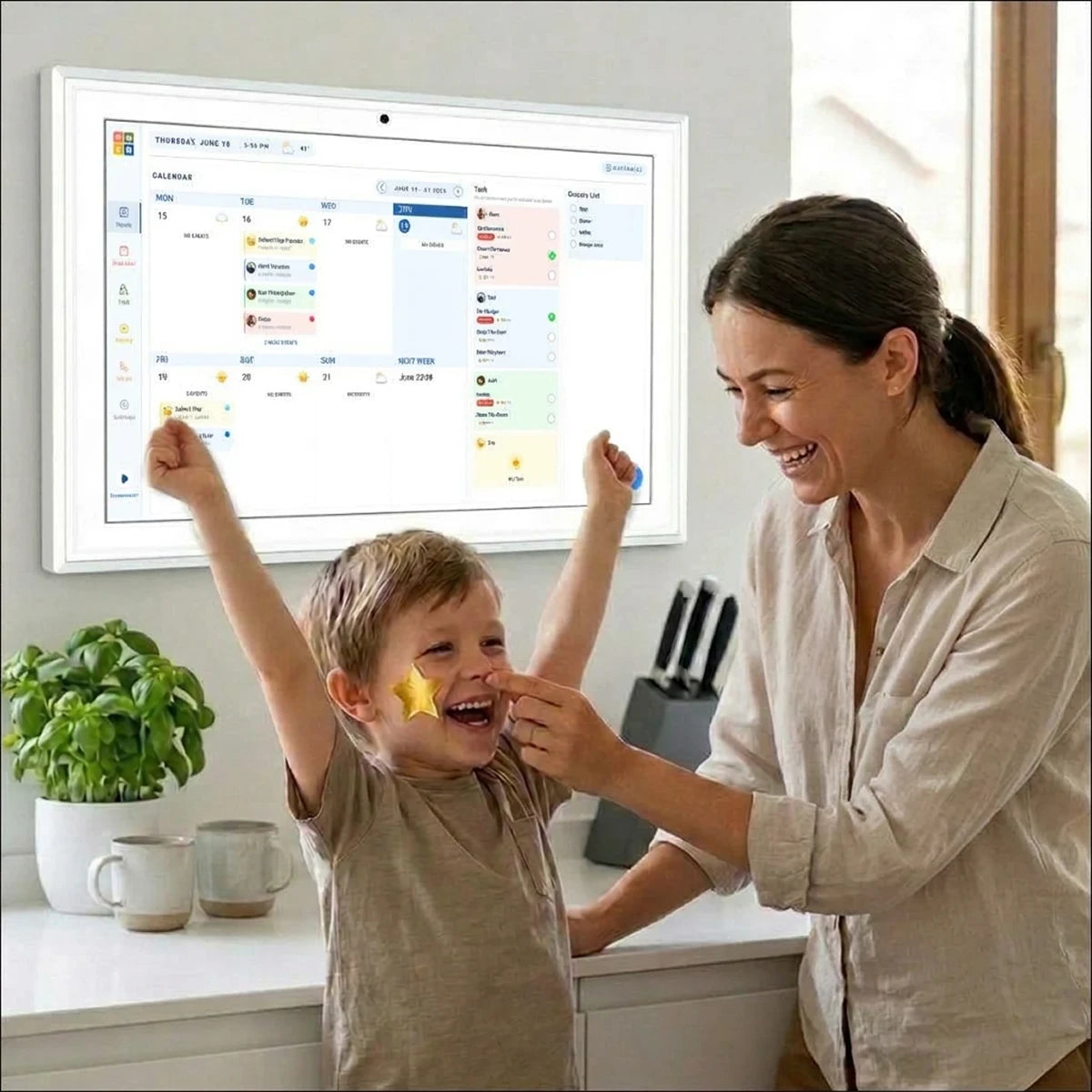
What the Orca Digital Calendar Helps You Do
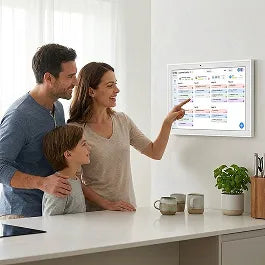
1. See Everyone's Schedule
All family calendars sync into one simple, easy-to-read display for the whole household.

2. Stop Questioning Yourself
Everyone can see the daily plan, so constant schedule questions disappear.
3. Family and Kids Routines Made Easy
Assign chores and track routines with simple visual charts the whole family can follow.

4. Calendar + Photo Frame
Displays rotating family photos when the schedule isn’t shown, adding warmth to your home.
Why Families Choose Orca Digital Calendar

Sync that actually works
Connects to Google, iCloud, Outlook, Cozi, and Yahoo in minutes. Two-way sync. All calendars in one view. Each person color-coded automatically.
Chore charts kids actually follow
Assign tasks, set schedules, track completion. Visual enough for kids. Simple enough that you don't have to re-enter everything every week.
Full month view, no hidden events
See every event for every day without clicking around. No "show more." No digging. The whole month at a glance, exactly how a family calendar should work.
Hardware built to last
15.6" Full HD display. Quad-core processor. Android 11. 2GB RAM, 32GB storage. Fast WiFi (2.4G + 5G). Built to run every day, not just the first month.

Photo frame, no subscription required
When the schedule isn't on screen, your family photos are. Upload through the app and your memories display automatically. No paywall. Included at purchase.

Real support, phone and chat
Not an email address that goes nowhere. Our team picks up. If something isn't working, we fix it. That's the commitment every other brand in this category breaks.
BLACK FRIDAY SALE
Why Families Choose Orca Digital Calendar
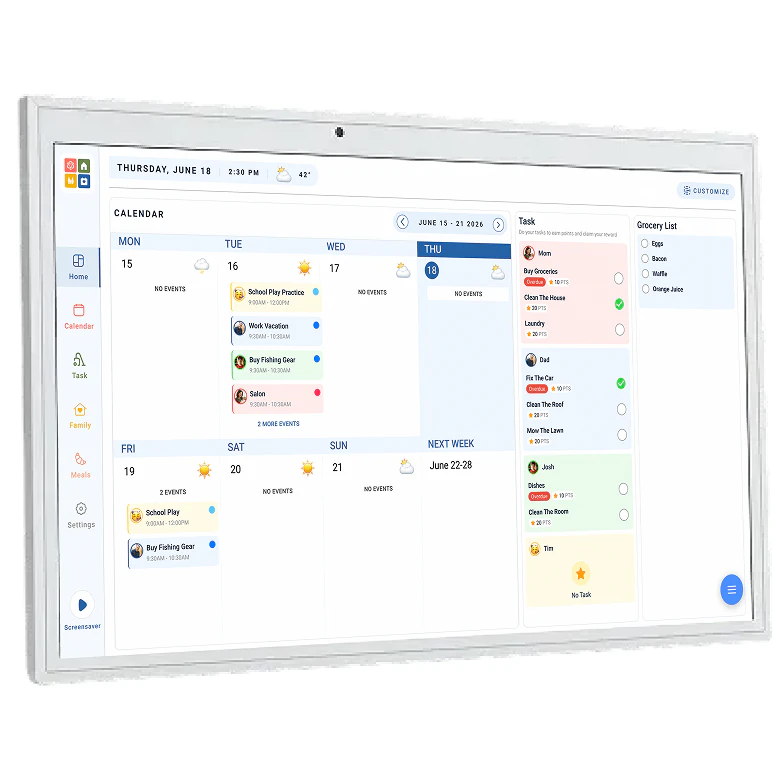
Sync that actually works
Connects to Google, iCloud, Outlook, Cozi, and Yahoo in minutes. Two-way sync. All calendars in one view. Each person color-coded automatically.
Chore charts kids actually follow
Assign tasks, set schedules, track completion. Visual enough for kids. Simple enough that you don't have to re-enter everything every week.
Full month view, no hidden events
See every event for every day without clicking around. No "show more." No digging. The whole month at a glance, exactly how a family calendar should work.
Hardware built to last
15.6" Full HD display. Quad-core processor. Android 11. 2GB RAM, 32GB storage. Fast WiFi (2.4G + 5G). Built to run every day, not just the first month.
Photo frame, no subscription required
When the schedule isn't on screen, your family photos are. Upload through the app and your memories display automatically. No paywall. Included at purchase.
Real support, phone and chat
Not an email address that goes nowhere. Our team picks up. If something isn't working, we fix it. That's the commitment every other brand in this category breaks.
BLACK FRIDAY SALE
How to Set It Up
Three steps. No manual required.

Step 1: Place Your Calendar
Mount it on the wall or place it on a stand in your kitchen, hallway, or family hub.
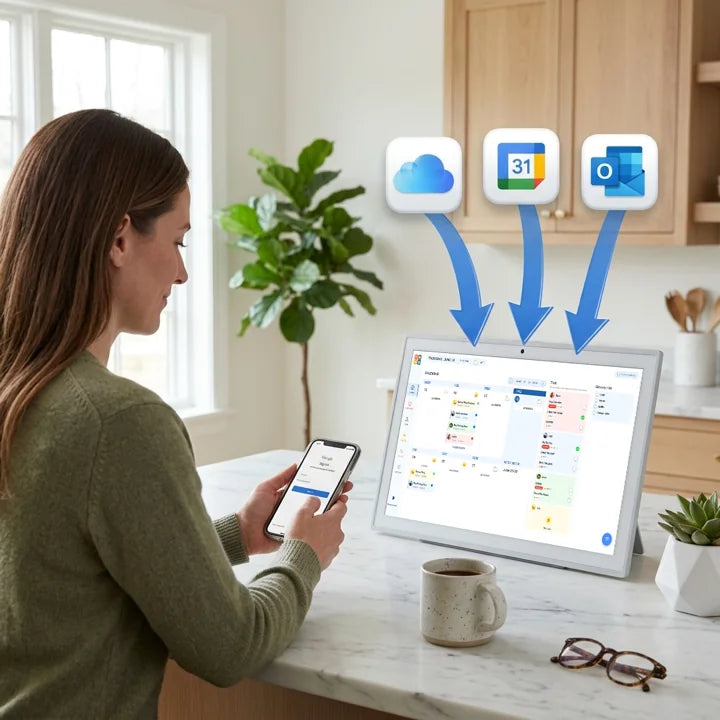
Step 2: Connect Your Calendars
Sync Google, Apple, Outlook, or other calendars in minutes using your home Dual-band Wi-Fi (2.4 / 5 GHz).

Step 3: Your Family Sees the Plan
Everyone can instantly see schedules, chores, and upcoming events—without asking.
BLACK FRIDAY SALE
See What People Are Saying

Missy B. — Mom of 4
"My husband and I coordinate four kids’ activities, two work schedules, a nanny, and even the dog's vet appointments on the daily. The Digital Calendar keeps all of it in one place for the whole family to see in real time. I don't know how we functioned before having one."

Kimberly J. — 4th Grade Teacher
"As a teacher, I live and die by organization. The Orca Digital Calendar brought that same structure into my life — and my family actually uses it, which is the part I didn't expect."

Jodi K. — 7th Grade Math Teacher
"After decades in the classroom, I know what it takes to keep a group of people organized. The Orca does for my family what a great lesson plan does for a classroom — everyone knows what's happening and when."
Find the Right Size for Your Family


Find the Right Size for Your Family

99-Day Risk-Free Guarantee
We know many families have tried digital calendars that didn't sync properly or hid features behind subscriptions.
That's why we offer a 99-day risk-free guarantee. If the Orca Digital Calendar doesn't simplify your household routine, simply return it for a full refund.
No pressure. No complicated process.
I am SO enjoying my Orca Calendar both for the calendar aspect and for the photos that cycle through. Both bring a smile to my face! I had a problem at first with my calendar but customer service was wonderful and solved my issue. I am totally happy!
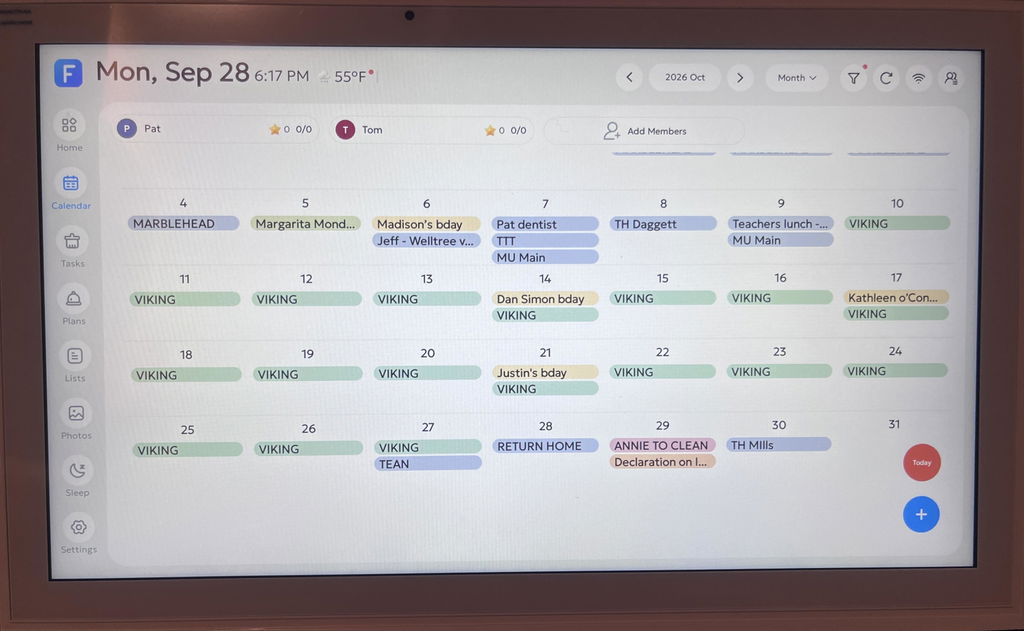
Hi there! We're so happy to hear you're enjoying your Orca Calendar and that our customer service could assist you. Thank you for your kind words and support!
It flows very well, connects with both Apple and android & is easy to add events both on our phones and on the actual calendar

Hi Courtney, thank you for sharing your experience! We're so glad the Orca Digital Calendar is making your scheduling easier across devices. Have a great day!
Love the calendar so far! Love that you can sync with your phone, and that you can have individual calendars for each person or mingle them all!
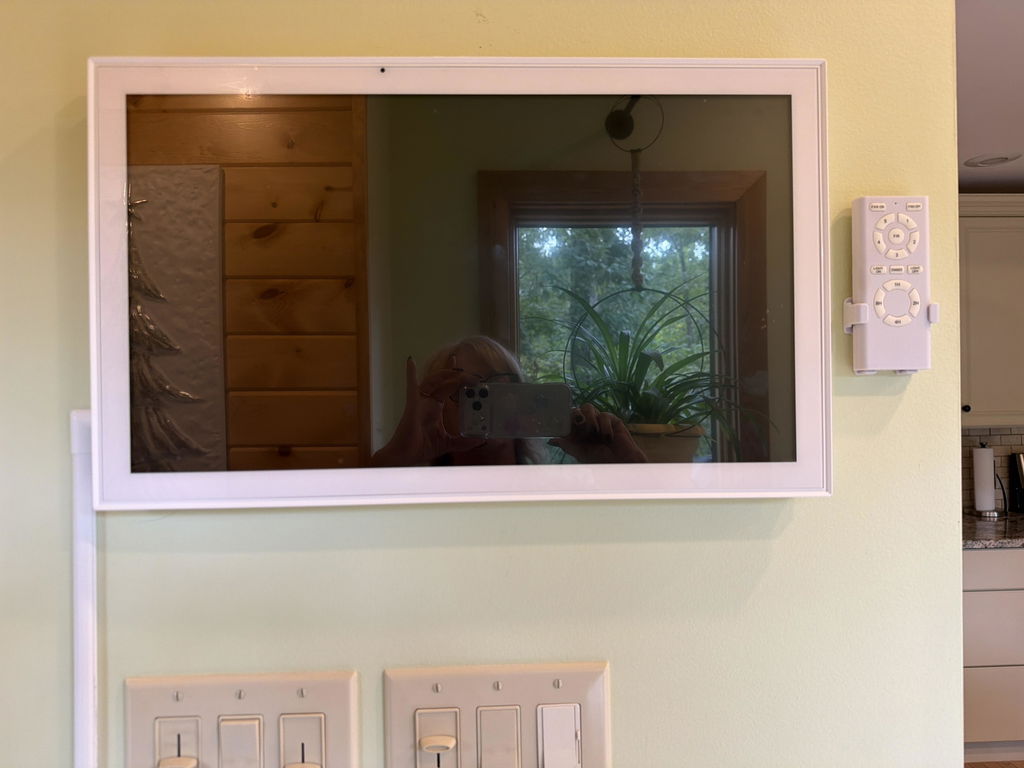
Hi Georgianne! We're so glad you're enjoying the Orca Digital Calendar and its features. Thanks for sharing your positive experience!
We've had the calendar for a few days. Got the 21.5in screen. Love it so far. Easy to use. No monthly fees like other digital calendars. Love that the app is user friendly too and connects to the calendar in real time. Love that we can add photos, meal plan, and have my grocery list on there too. I'm a visual person, and I like that each person has their own color. (On my paper calendar, each person had their own color too)
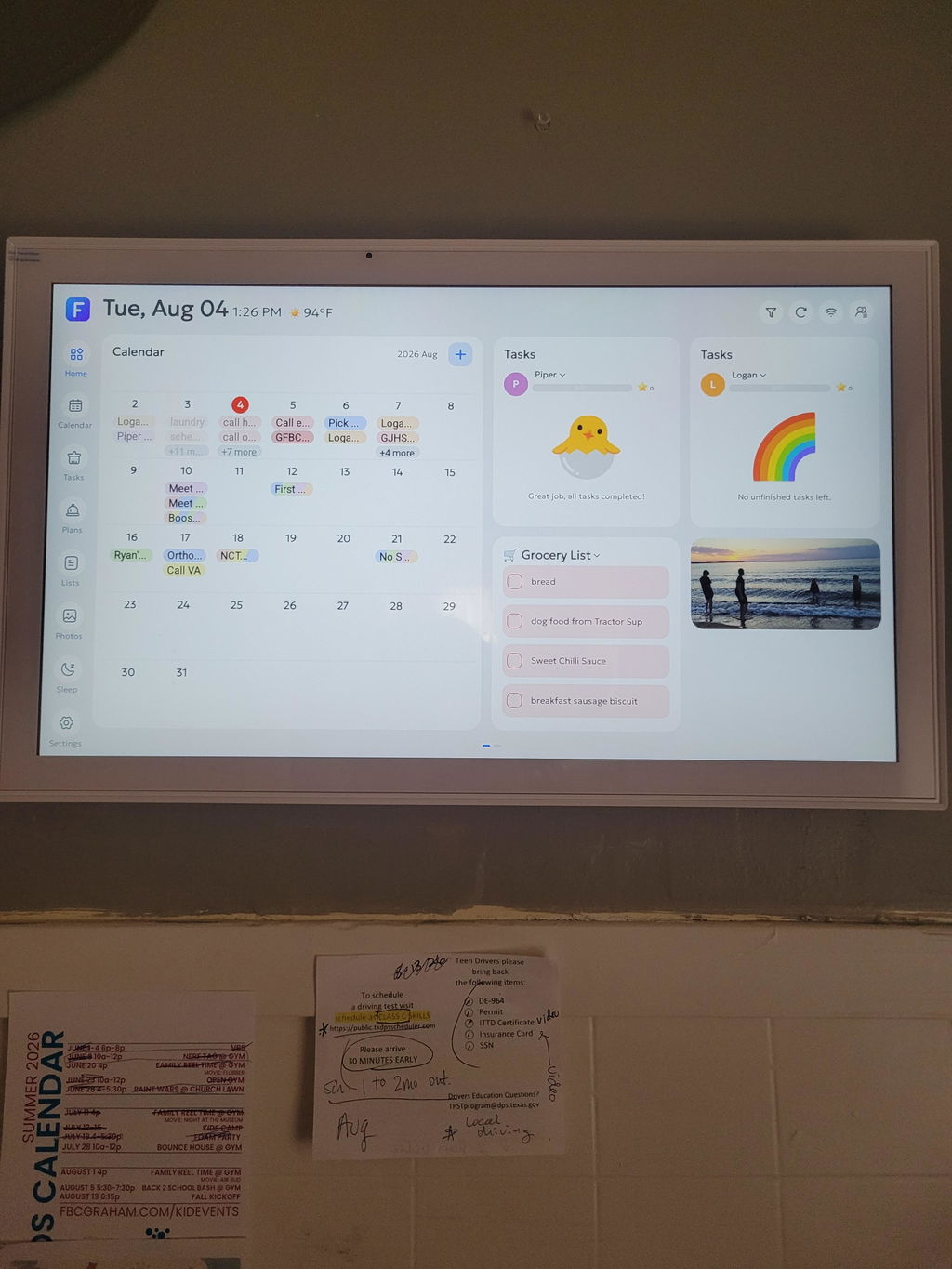
Hi Audrey, we're thrilled to hear you're enjoying the Orca Digital Calendar and all its features! Thank you for sharing your positive experience. If you have any questions or need further assistance, we're here to help. Enjoy organizing with your new calendar!
I bought the Orca Digital Calendar for my first college dorm room. I have been testing the calendar at home and I am already blown away by all the unique features it has. I can’t wait to set it up at my dorm!
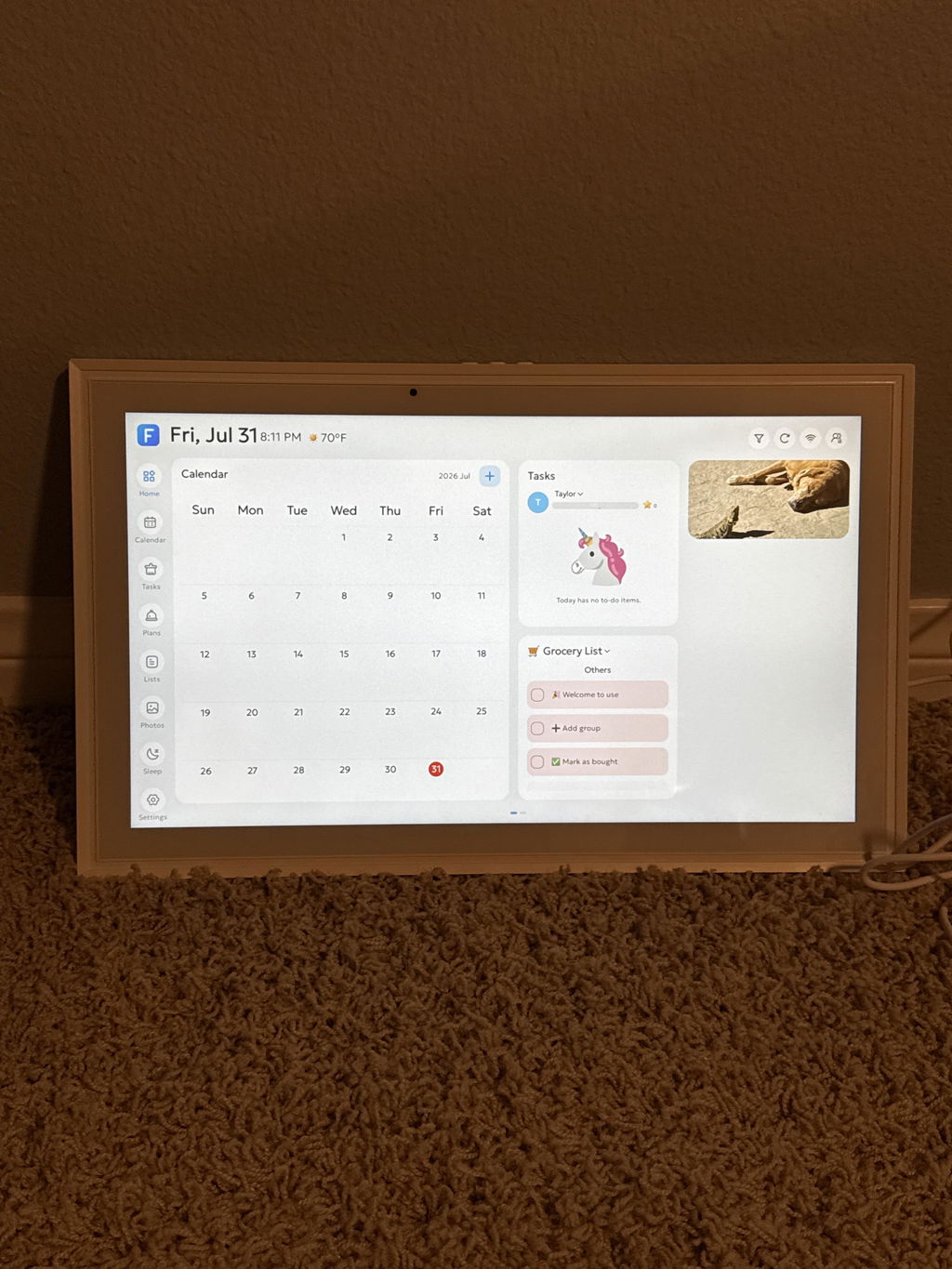
Hi there! We're so glad you're excited to set up the Orca Digital Calendar in your dorm. Thanks for your wonderful review and happy organizing!
Had issues with glitching and turning on and off from the box. I reached out to support and they told me there wasn’t much they could do.
Hi there, we’re sorry the Orca Digital Calendar glitched and kept turning on and off, and that our support team couldn’t offer a helpful solution. That’s not the experience we want you to have. Please reach out to us again so we can take another look and see how we can help.
I wish I bought the big one.
Hi there! Thanks for your feedback. Glad you're happy with the product!
I have had this expensive device for about two months now and it has started shutting off randomly, glitching and showing an error message. I’m not happy at all .
Hi Naiomi, we're sorry to hear about the issues you're experiencing with the Orca Digital Calendar. I can see you have an existing ticket with us about your concern with the product. Please feel free to reach out if you need further assistance.
All calendar entries do not sync onto the calendar correctly or not at all. The calendar goes to sleep - shuts off - at random times of the day - not when the programmed sleep mode is set for. An error code comes up that states the system could not retrieve android data, some of your data may be corrupt and suggests that the power and volume buttons be pressed to reset - this can happen multiple times a week, sometime a day.
I would like to be able to set a color code for different individuals in the household without assigning a color with each calendar entry.
Thank you for taking the time to share this, and we’re sorry your calendar hasn’t been working the way it should. Missing events, random shutdowns, and repeated error messages are not the experience we want for your household, and we’d like to make this right. The error you’re seeing, along with the device turning off outside your scheduled sleep hours, is not normal behavior. Please don’t keep resetting it on your own. Please contact customer service at (877) 336-7699. We will be happy to help you fix it.
Calendar glitches and didn't work right from freezing up to restarting constantly
Hi Rick, we're sorry for the inconvenience you've experienced, and thank you for allowing us to assist you with the replacement. Please feel free to contact customer service if you need further assistance.
It was a gift for my son, he loved the easy set up and that he does not need a monthly subscription!
Hi there! We're thrilled to hear your son loved the Orca Digital Calendar and appreciated the easy setup. Thanks for sharing your experience!
My family loves it
Hi Tatiana, we're thrilled to hear your family loves the Orca Digital Calendar! Thank you for sharing your experience.
It’s awesome
Thank you for your wonderful feedback! We're so glad you love the Orca Digital Calendar. If you need anything else, feel free to reach out.
Easy set up.
Big display.
Affordable
Thank you for your kind words! We're thrilled you find the Orca Digital Calendar easy to set up and appreciate the display. Enjoy using it!
Easy to use and helps keep our busy family organized! I love using photos as our screen saver. It looks great on our wall and best part is no subscription necessary!
Hi Kristina, we're thrilled to hear how much you enjoy the Orca Digital Calendar! It's wonderful that it keeps your family organized and looks great. Thanks for sharing your experience!
Really helpful for organizing the whole family. Son's soccer games, daughter's dance classes, my work, and my wife's work. We can finally be efficient and not miss any obligations!
Hi there! We're so glad the Orca Digital Calendar helps keep your family organized. Thanks for sharing your experience!
Love it
Hi there! We're thrilled to hear you love the Orca Digital Calendar. Thanks for your wonderful review!
I haven’t figured out how to upload all the photos I would like, but I’m working on it!
Hi there! Thanks for your feedback. Feel free to reach out if you need any help with uploading your photos. We're here to assist!
Great product, user friendly
Thank you for your wonderful feedback! We're glad you find the Orca Digital Calendar user-friendly. Hope it continues to serve you well!
easy to set up and use
Thank you for your kind words! We're glad you find the Orca Digital Calendar easy to set up and use. Enjoy organizing your days!
Great
Thank you for your wonderful feedback! We're glad you love the Orca Digital Calendar. If you have any questions or need assistance, feel free to reach out. Have a great day!
Need to use it
Hi there! Thanks for your feedback. Feel free to reach out if you need any help using the Orca Digital Calendar. We're here to assist you!
Just received my orca I’ll review in a few months
Hi Ed, thanks for your message! We look forward to hearing your thoughts in a few months. If you have any questions in the meantime, feel free to reach out.
So far, we really love the orca digital calendar for its organization, grocery lists, and tasks options all without a subscription. One limitation is I’ve had to do a hard reset two or three times when the screen freezes. Hoping to get IT support on this issue.
Hi Jessica, thank you for your kind words and feedback! We're glad you love the features of the Orca Digital Calendar. Sorry to hear about the screen freezing issues — we're here to help. Please reach out to our support team so we can assist you further. Thanks for being a valued customer!
Great product
Thank you for your kind words! We're glad you love the Orca Digital Calendar. Hope it keeps you organized and inspired!
I wish meal planning didn't involve loading recipes. It's a royal pain since some days lunch involves dinner left overs. Just let us put together a simple meal plan together.
Hi there, thanks for your feedback! We understand how simplifying meal planning could be helpful. We'll consider this for future updates. In the meantime, feel free to reach out if you need any assistance. Happy planning!
Frequently Asked Questions
Do I need a subscription?
No. Every feature is included with the device, with no monthly fees.
How do I set it up?
Plug it in, connect it to Wi-Fi, pair it with the Orca companion app, and link your Google, Apple iCloud or Outlook calendars.
Which calendars does it work with?
Google Calendar, Apple iCloud and Outlook. Events sync to the screen automatically.
Can I mount it on the wall?
Yes. A wall hanger and a tabletop stand are both in the box.
Does it need Wi-Fi?
Yes, for calendar sync, photos and weather. It works on 2.4 GHz and 5 GHz networks.
What's the warranty?
An 18-month limited warranty, plus a 99-day money-back guarantee.
I have an older Orca calendar. Does it get the new app?
No. Earlier Orca calendars continue to use the FotoCube app. The Orca app is for the current model.
Is customer support available if I need help?
Yes. Our support team is available through phone and email.
Phone: (877) 336-7699
Email: support@srihome.com
If you ever need assistance with setup or troubleshooting, a real person will help you.
New SRI Home Products Are Coming. Get Early Access
Join the list for launch announcements, early-access windows, and member-only pricing on what's next. The calendar is just the beginning. Made for the kitchen, room, bathroom, and more.